Most studios in India already share photos on Google Drive and WhatsApp. Both are free to start, and every family knows how to open them. So when is a wedding photo sharing app worth paying for? The honest answer depends on who is receiving the photos: one couple, or hundreds of guests.
This guide compares the two for the jobs a wedding studio really does. It says where Google Drive is perfectly fine, and where a selfie-based app does the job better.
Two different jobs
Sharing wedding photos is really two jobs:
- Sending the full set to the couple. One family, a few thousand edited photos, files that should stay in full quality for years.
- Sharing with the guests. Hundreds of people, each wanting only the few photos they are in, often on the same day, on a phone.
Google Drive was made for the first kind of job: storing files and sharing folders. A wedding photo sharing app is made for the second. Most of the trouble comes from using one tool for both.
Where Google Drive is fine
- The final delivery to the couple. A folder of edited photos, one sub-folder per function, shared with the couple's Google accounts. They can download everything in full quality.
- Sending files to your team. Your album designer, video editor or print lab needs full files, not a guest gallery.
- Small functions. A birthday, a griha pravesham or a small puja with a few dozen guests, where people don't mind scrolling one folder.
- A long-term copy. Some photo sharing apps keep guest galleries online only for a set time. A Drive folder stays for as long as the files are in your account.
Drive keeps your photos in full quality; its limits are storage and sharing. Every Google account comes with 15 GB free, shared between Drive, Gmail and Google Photos, and the photos in a folder you share use your storage, not the viewer's. A full wedding of edited photos and films can easily pass 15 GB, so you may need a paid Google One plan.
Where Google Drive and WhatsApp struggle at a wedding
The trouble starts when the same folder or group is sent to every guest.
- Everyone scrolls through everything. A guest who is in a handful of photos has to look through the whole folder to find them. Elders on a small phone often give up.
- No selfie search. Drive has no way for a guest to take a selfie and see only the photos they are in.
- Privacy is all or nothing. A link set to "Anyone with the link" opens every photo to anyone it is forwarded to, including other families and their children. Set it to "Restricted" and you have to add each guest's Google account; everyone else gets stuck on a request access screen.
- WhatsApp shrinks the photos. Photos sent the normal way are compressed, and even the HD option is not the original file. Sending them as documents keeps the quality, but they arrive one by one with no previews, and a wedding group fills everyone's phone.
- It usually happens after the event. Getting photos into Drive during a function means someone copying cards to a laptop and uploading. So guests wait days or weeks, and keep asking you on WhatsApp.
- Your name is missing. A Drive folder shows file names, not your studio's logo, so relatives who open it don't see who shot the wedding.
- Big downloads. A large folder downloads as zip files, which many relatives don't know how to open on a phone.
What a selfie-based wedding photo sharing app does differently
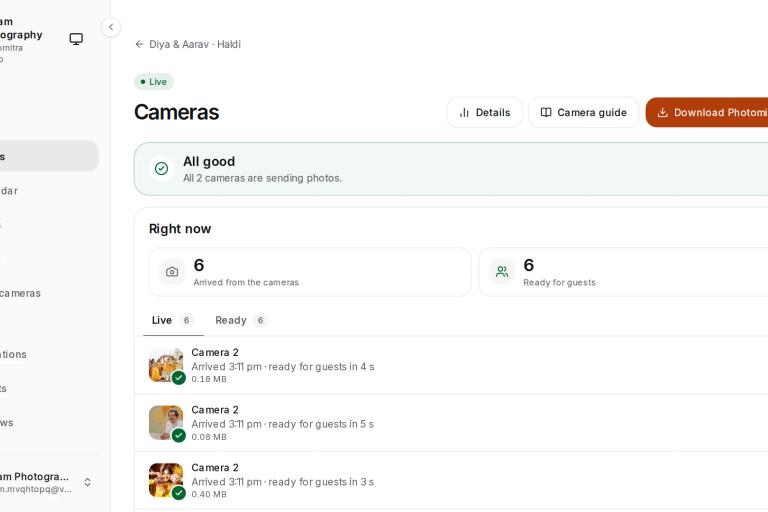
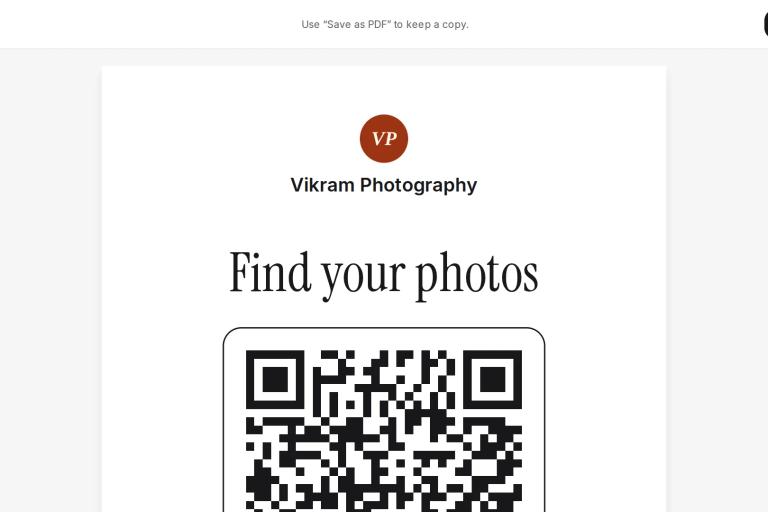
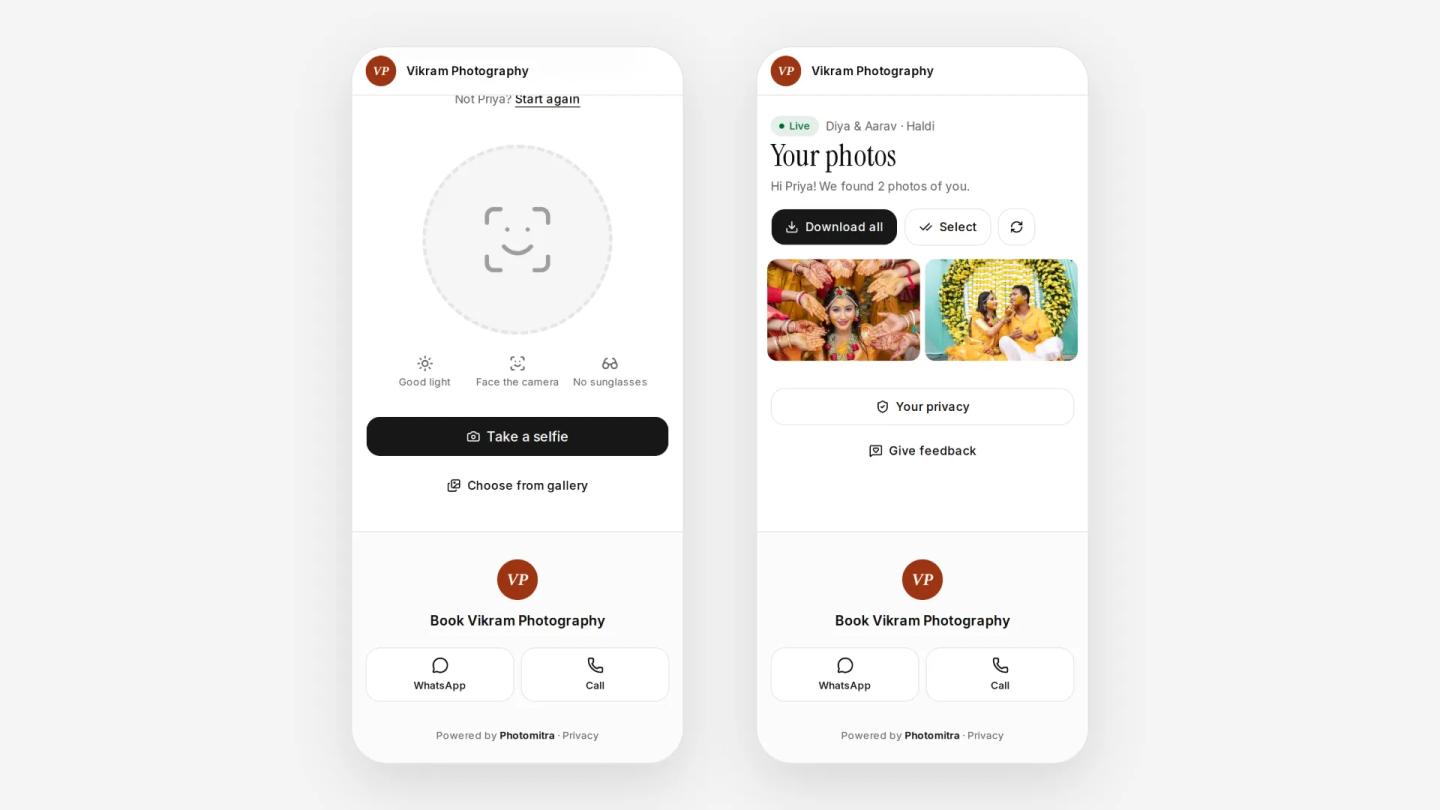
A wedding photo sharing app with face recognition turns the folder around. Guests scan a QR code at the venue, take one selfie and see only the photos they are in, on their own phone. If the app also takes photos straight from the camera, this happens while the function is still going on.
- Guests find themselves without scrolling, in candid and group photos too.
- Each guest sees their own photos, and the full gallery opens only if you choose.
- Your studio's name and logo are on every page guests open, which matters at a wedding full of families planning the next one.
It has limits too, and it is better to know them before you pay:
- It costs money, usually a monthly or yearly plan, where Drive is free up to 15 GB.
- Face matching misses some photos. A dark selfie, sunglasses or a face turned away can hide a match. Keep the full gallery as a backup if the couple agrees.
- Galleries are often online for a set time, so the couple still needs their own full copy.
- Guests need internet on their phone to take the selfie and download their photos.
When to use which
Use Google Drive when
- you are sending the full edited set to the couple
- you are sharing files with an editor, album designer or lab
- the function is small and everyone knows each other
Use a wedding photo sharing app when
- hundreds of guests each want their own photos
- guests should get photos during the function, not weeks later
- families care about who can see their photos
- you want every guest to see your studio's name
A simple plan uses both: the app for guests during the event and the weeks after it, and Drive or a pen drive for the couple's final full set. Our guide on how to deliver wedding photos to clients covers the delivery side in detail.
Doing it in Photomitra
Photomitra is a wedding photo sharing app for Indian studios. Guests scan your studio QR, agree on a consent screen and take one selfie, and the selfie photo finder shows each of them the photos they are in, from every function, in the phone's browser with no app to install. The selfie photo isn't saved. Photos arrive from your cameras during the event or from your laptop afterwards, and you can open the full gallery or add a PIN when the couple wants.
Guest galleries stay online for up to 30 days, so keep Drive or a pen drive for the couple's permanent copy. Packages start at ₹1,499 a month or ₹14,990 a year, with 7 days free and no card. To compare it with other apps, see the best face recognition photo sharing apps in India.
Share this post
Written by the Photomitra teamWe build live photo delivery, album selection and studio software for wedding and event photographers in India, and set it up with them on WhatsApp. About us