A printed wedding album usually lives in one house. The aunt in Dubai, the cousins in Pune and the friends who travelled for the sangeet see it once, if at all. An e-album gives all of them the same album as a link that opens on any phone.
This guide covers what an e-album is, what studios in India pay for one, how to make one from the sheets you already send to the lab, and the mistakes that make families stop opening it.
What is a wedding e-album?
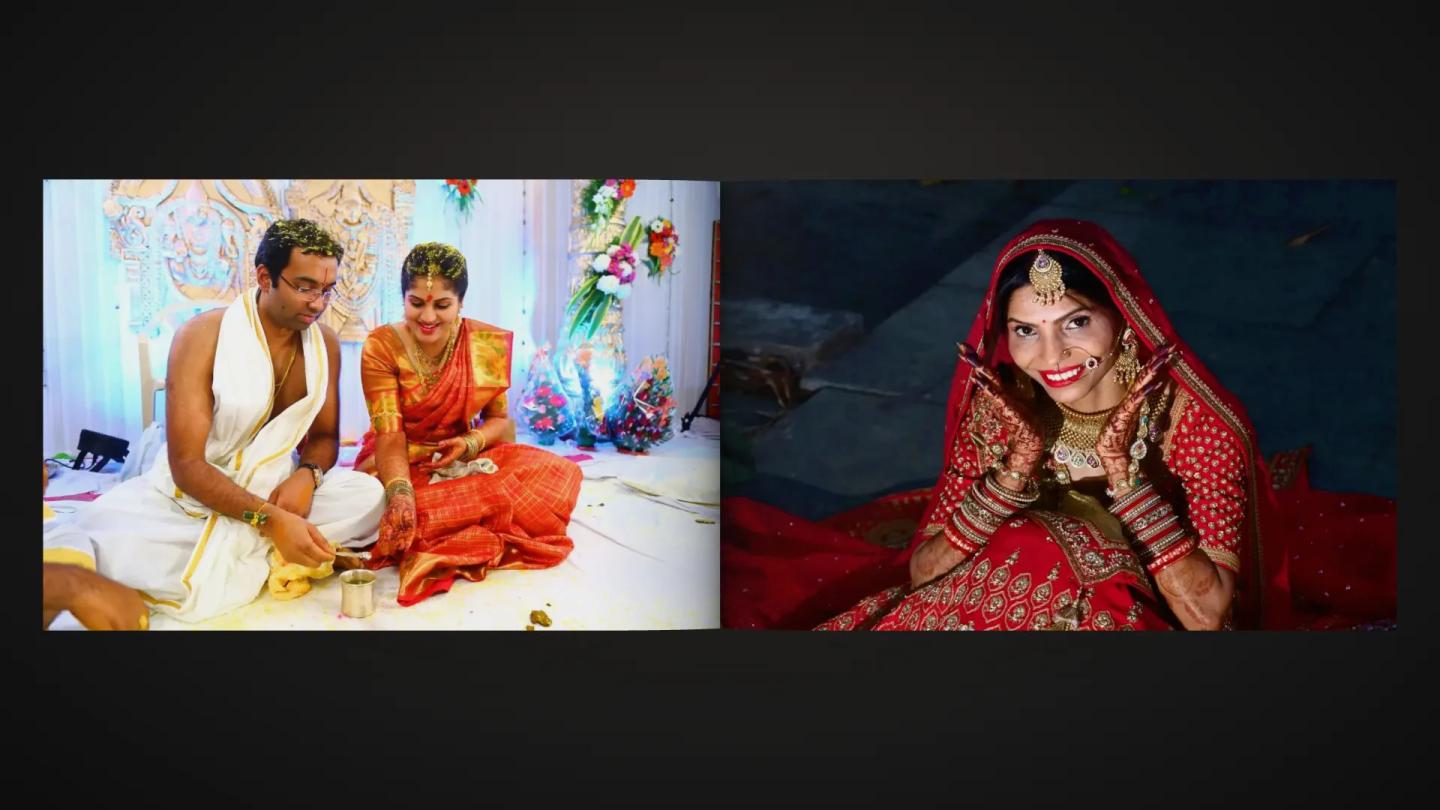
An e-album (also called a digital album or a flipbook album) is the finished wedding album shown online as a book. The pages turn like a real album, often with the couple's song playing, and it opens from a link or a QR code on a phone, a laptop or a smart TV.
It is different from an online gallery. A gallery holds hundreds or thousands of photos from every function. An e-album holds the 40 to 60 designed sheets of the album: the story you and the couple chose, in order.
Note
An e-album doesn't replace the printed album. Think of it as the printed album's digital twin, for everyone who can't hold the book.
Why couples and studios want one
- Family far away: relatives in other cities and abroad see the album the day it is ready.
- One link to share: the couple forwards one link on WhatsApp instead of hundreds of photos.
- The printed book stays safe: it stays at home while the e-album gets passed around.
- Your name on every share: the album carries your studio's name, so each relative who opens it sees your work. More on this in how to get more bookings from every event.
- Years later: a QR card in the album box opens the album long after the WhatsApp message is lost.
What an e-album costs in India
E-album tools are cheap. Two examples, from the prices these services list on their own websites (October 2026):
- eAlbum.net: one flipbook free, ₹189 a month for 40 flipbooks, or ₹999 a year for 100.
- eAlbum.in: one free, then ₹10 per e-album, or ₹999 a year.
Some album design software also makes an e-album link from the design. Because the cost per album is so small, the simplest choice is to include the e-album in every album package and name it in your quotation, next to the album's sheet count. Our photography quotation format shows where it fits.
How to make an e-album from your album sheets
- Finish the album design first. The e-album should show the same sheets the couple approved for print, so nothing looks different later.
- Export the sheets as JPEG. Use the files you send to the lab: one JPEG per spread (a 12x36 sheet is three times as wide as it is tall) and single-page JPEGs for the covers. Keep the colours in sRGB so they look the same on phones.
- Number the files in order (01, 02, 03 and so on) so the pages load in the right sequence.
- Upload them and check every page. Wide sheets should open as two pages side by side, the front and back covers as single pages.
- Add the couple's song. Ask them which track they want; it is their album.
- Decide who can open it. A link alone is fine for most families. Add a PIN when the couple wants the album to stay in the family.
- Share it. Send the link to the couple on WhatsApp first, and print the QR on a small card for the album box.
Mistakes that make families stop opening it
- Small exports: faces and text on the sheets look soft on a laptop or a TV. Upload full-size sheets and let the tool make smaller copies for phones.
- Pages out of order: unnumbered files load in a random order. Number them before you upload.
- Sharing before the couple has seen it: send it to the couple first and let them share it with the family.
- No QR in the box: links get buried in WhatsApp chats. A printed QR doesn't.
- Downloads left on: if you don't want sheets printed at a local shop, keep downloads off.
Where the e-album fits in your delivery
A simple order that works for most weddings:
- Event photos reach guests the same day (ways to deliver wedding photos).
- The couple selects the album photos (how to get it done in days).
- You design the album and the couple approves it.
- The printed album goes to the lab, and the e-album link goes to the couple the same day.
- Originals and RAW files go to the archive (a simple storage plan).
Doing it in Photomitra
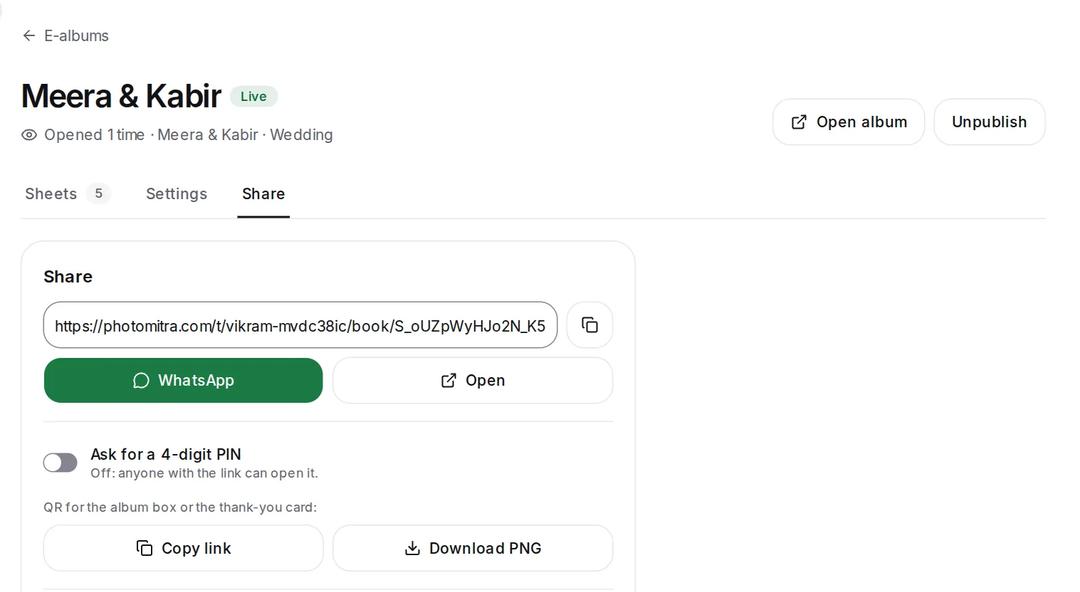
Photomitra's 3D e-album takes the same JPEG spreads you send to the lab. Wide sheets become two pages by themselves (you can change any of them), an album holds up to 120 sheets, and the couple's song (an MP3 up to 20 MB) plays as the pages turn. Share it on WhatsApp, add a 4-digit PIN if you like, download the QR for the album box, and see how many times it was opened. The album shows your studio's name and logo.
Share this post
Written by the Photomitra teamWe build live photo delivery, album selection and studio software for wedding and event photographers in India, and set it up with them on WhatsApp. About us